A pretty, done-for-you budget system: plan every paycheck (bonus Paycheck Budget Tracker included), see every bill before it's due, watch your debt shrink and your savings grow.

Tracking spending isn't budgeting. You need a plan for every dollar, and one place that shows you how it's going.

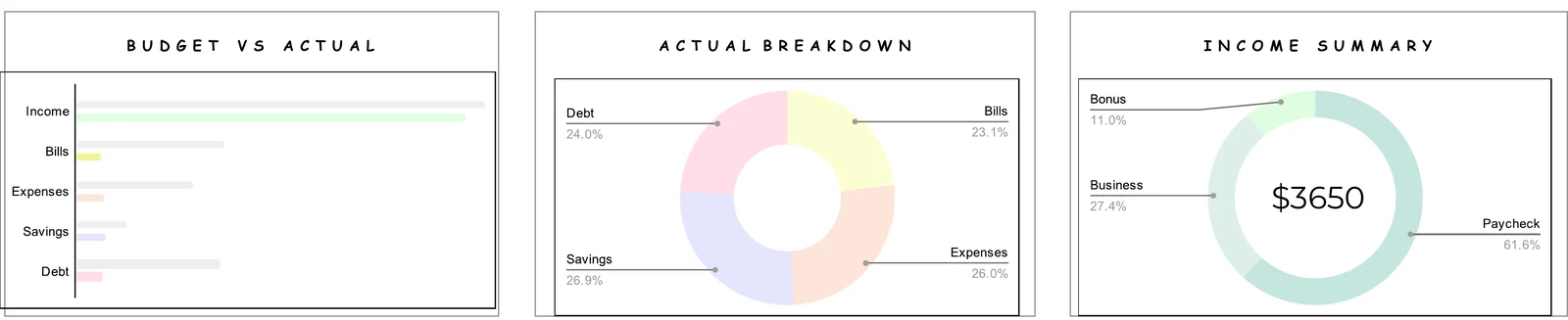
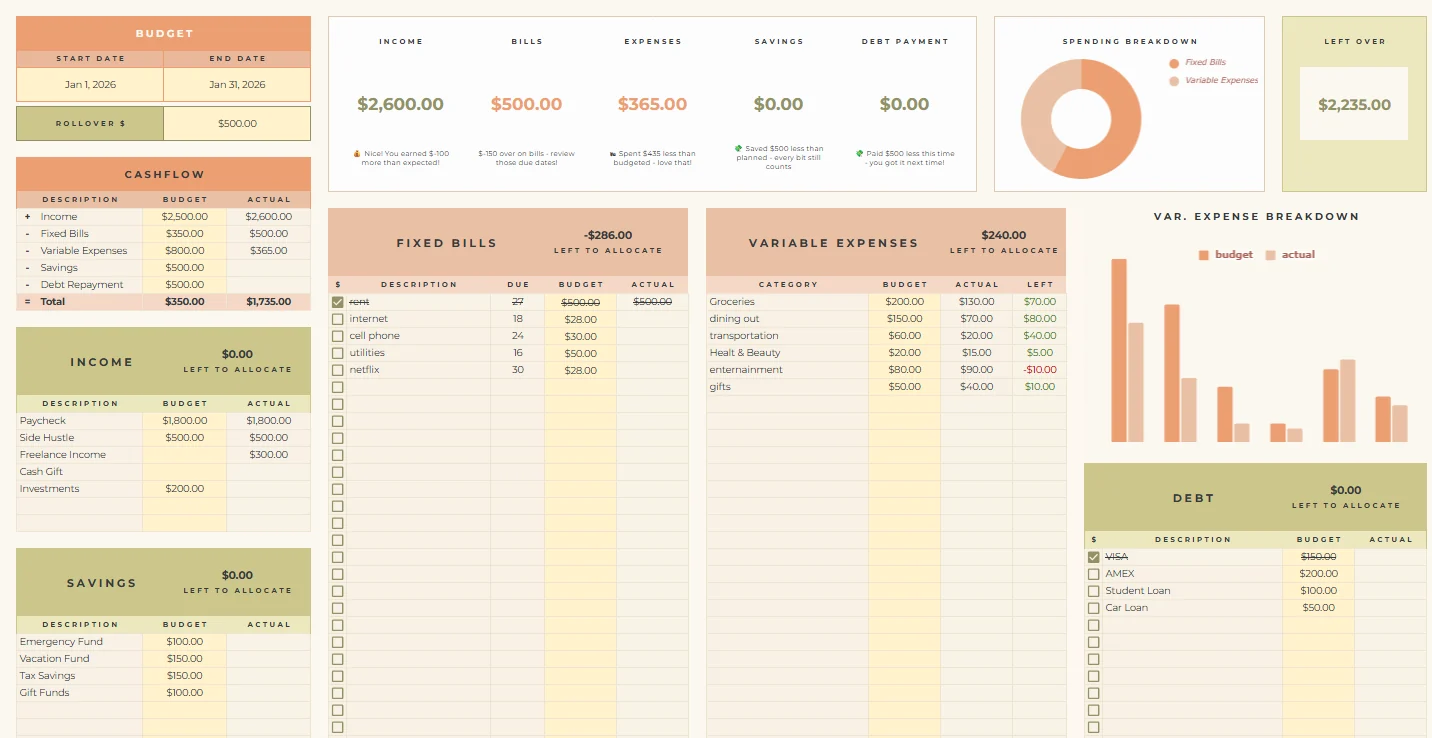
Plan the month, log what you spend, and see budget vs actual in one glance.

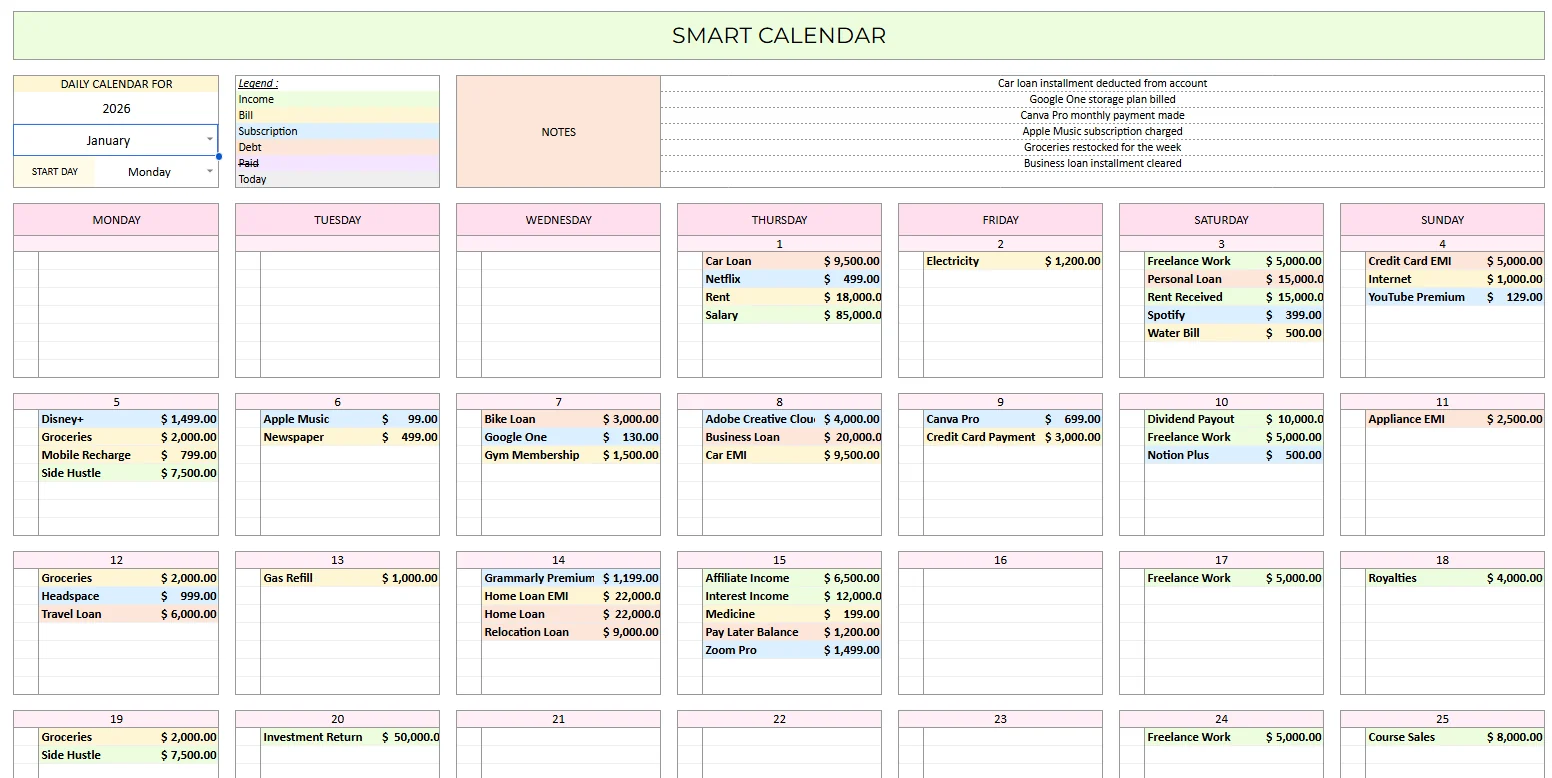
A monthly calendar of every bill, subscription and payday, color-coded.

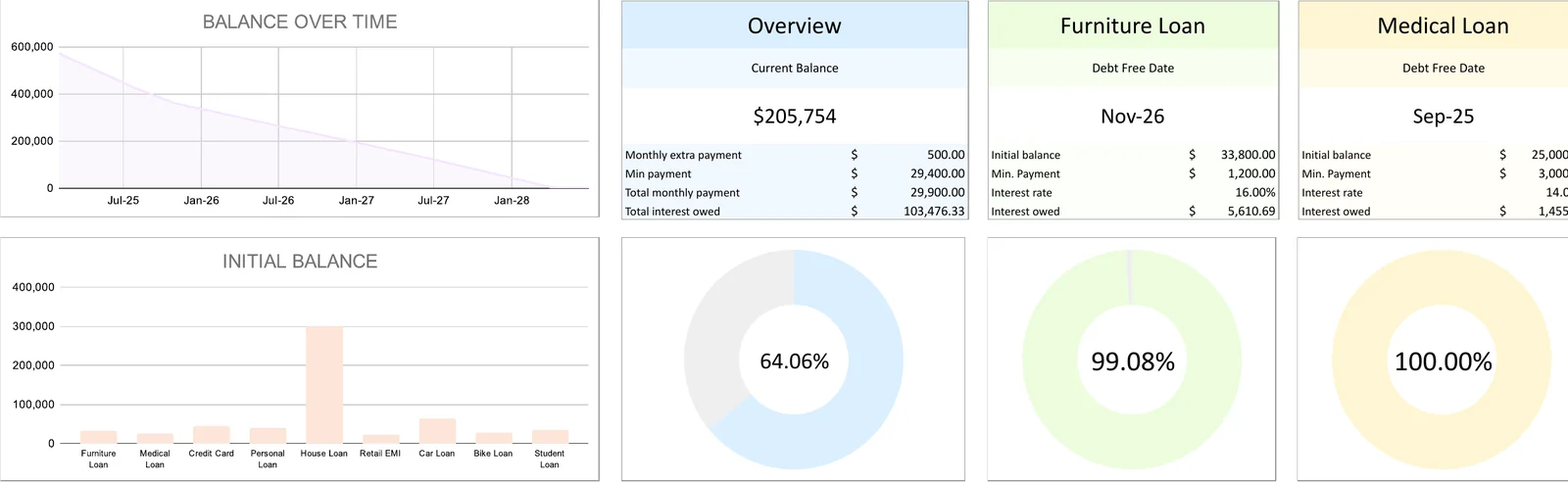
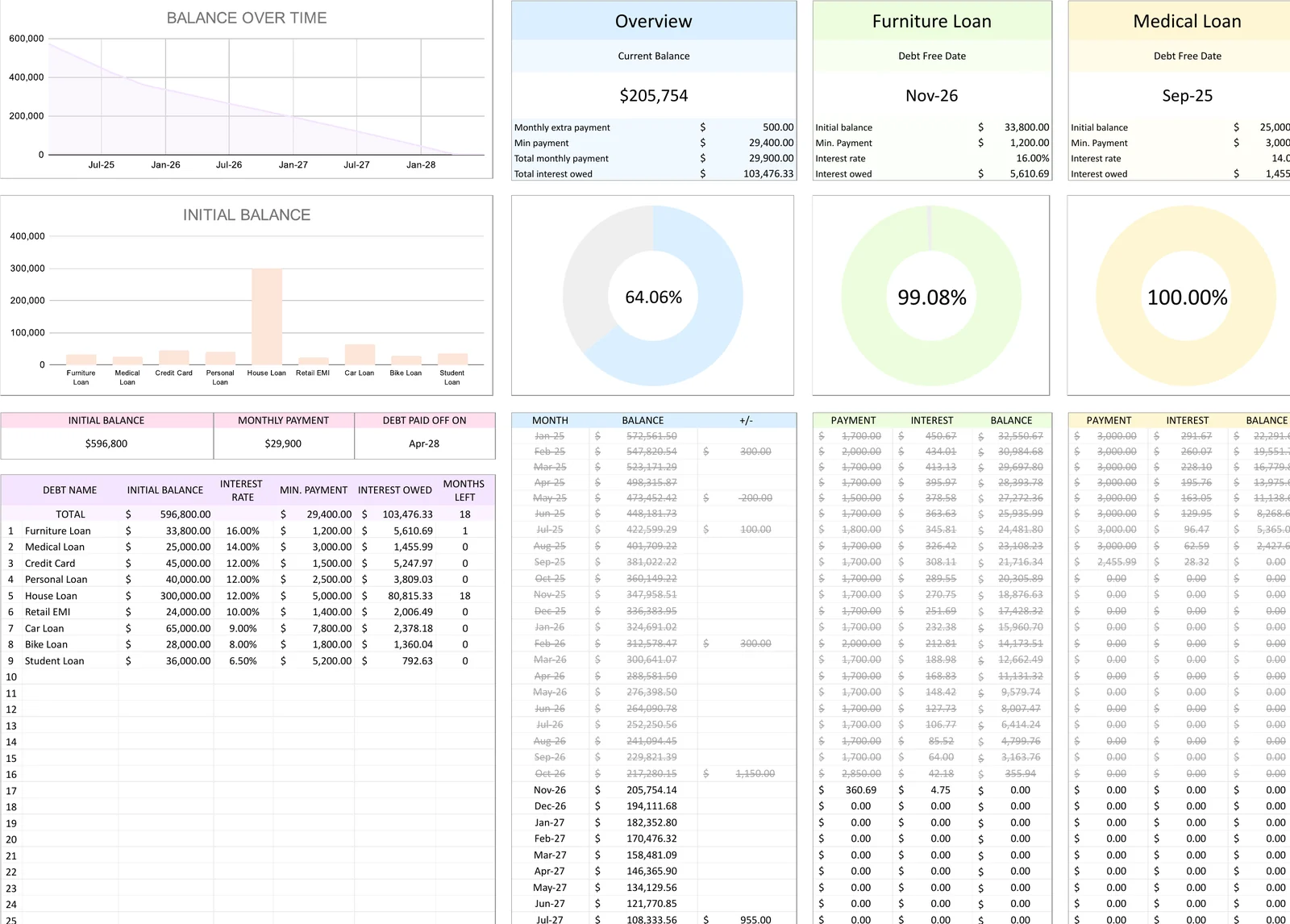
Every balance, interest rate and payment in one place, with charts that show the finish line.

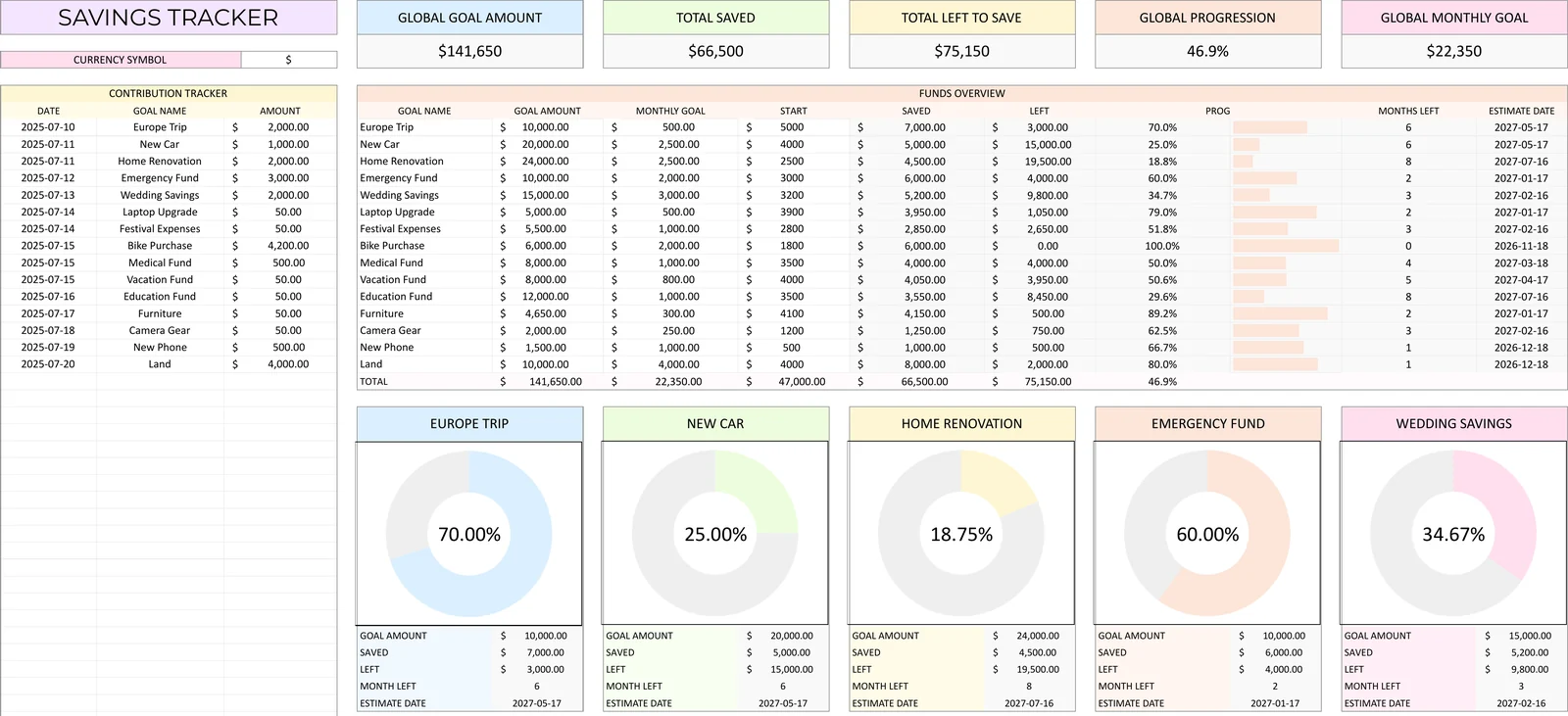
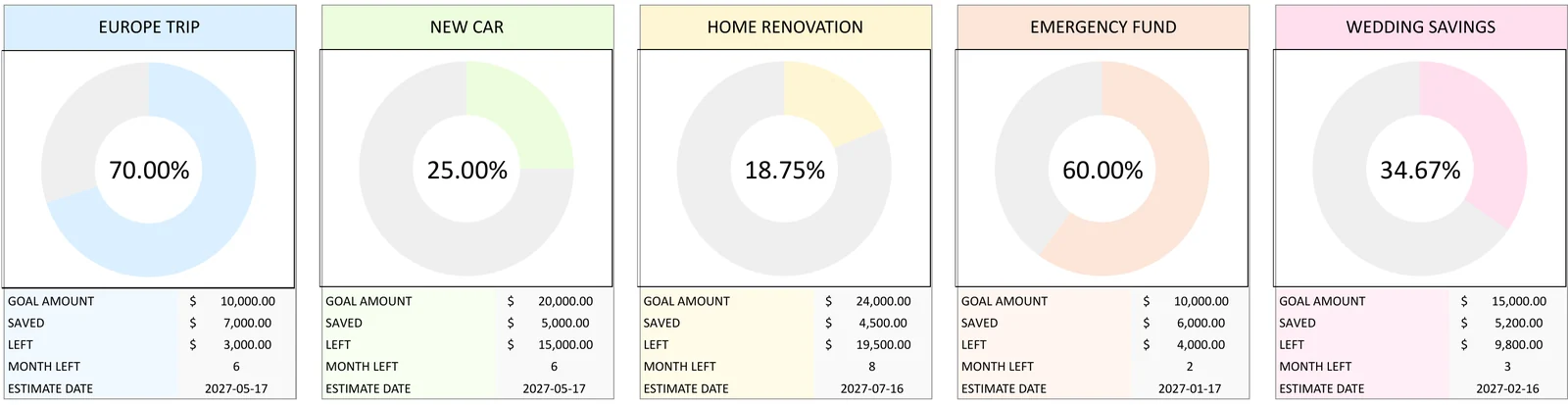
Set goals (trip, emergency fund, new car) and watch each one fill up.
Real screens from the spreadsheets, filled in with example numbers. Tap any picture to zoom.
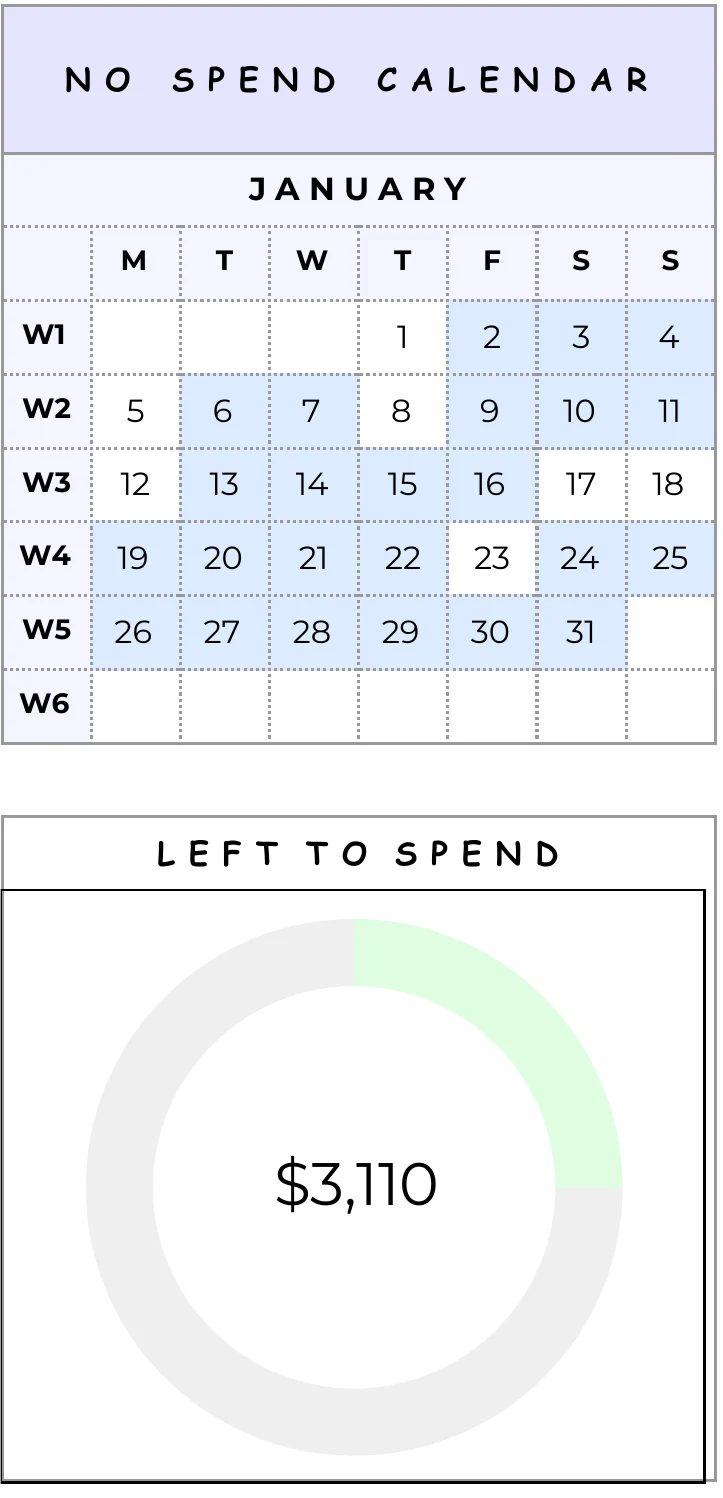
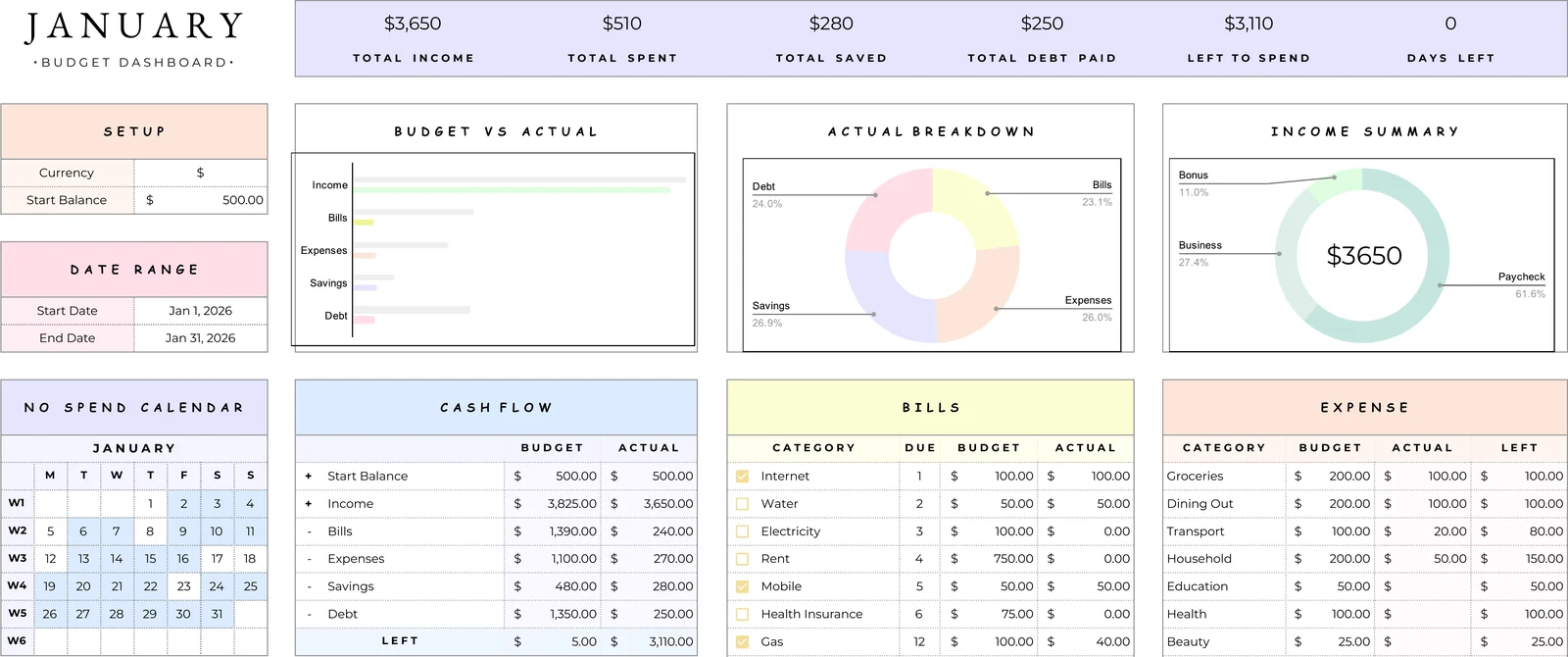
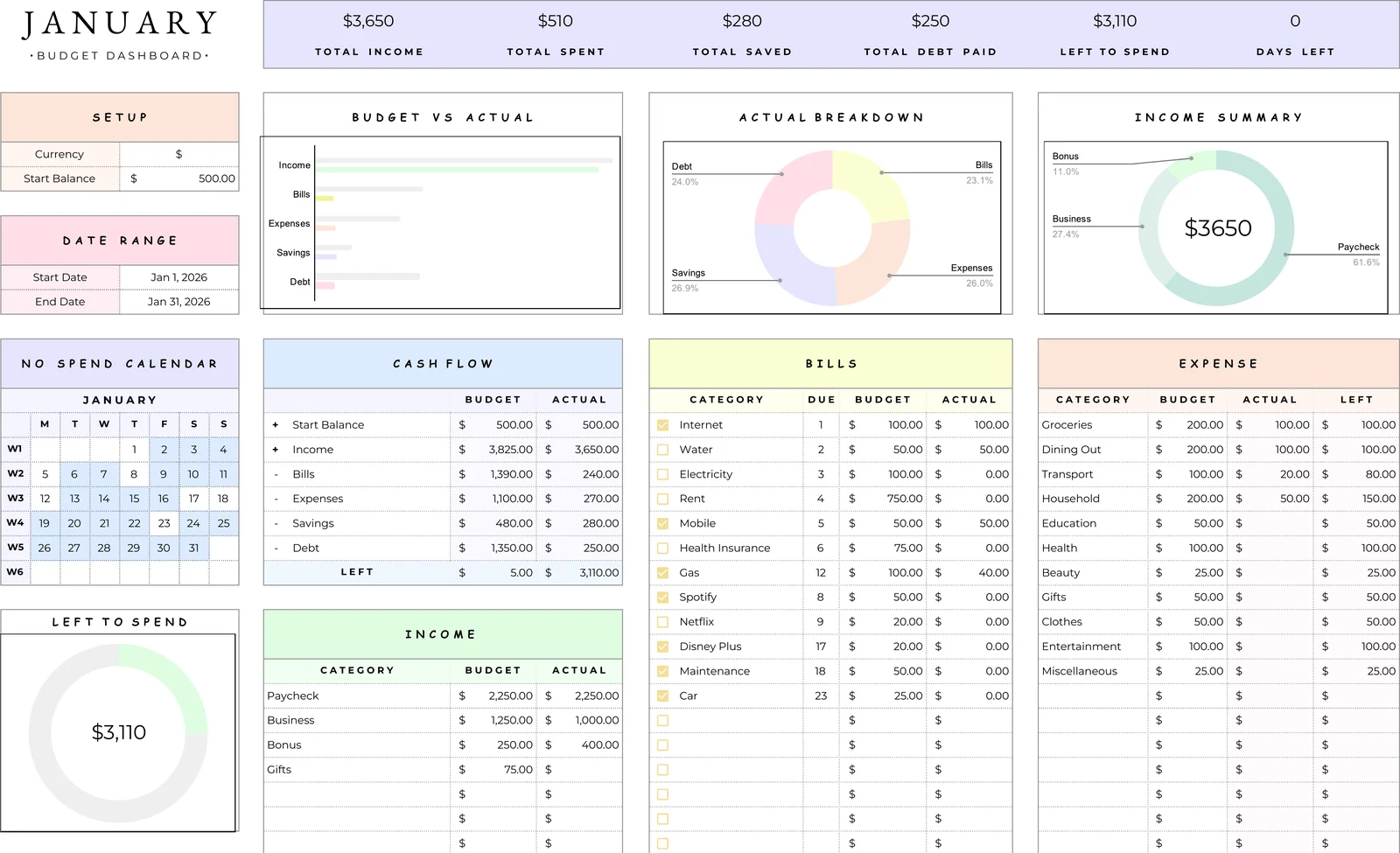
Total income, spent, saved, debt paid, what's left to spend and how many days are left. It all updates as you type.

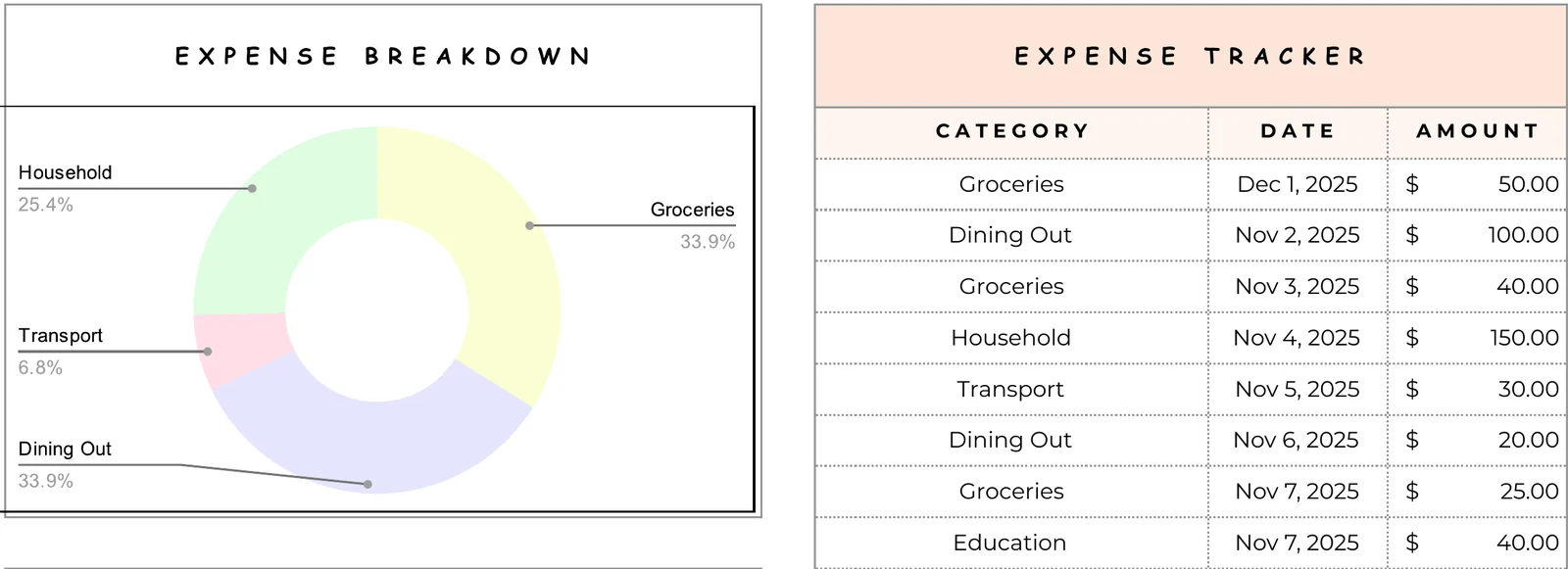
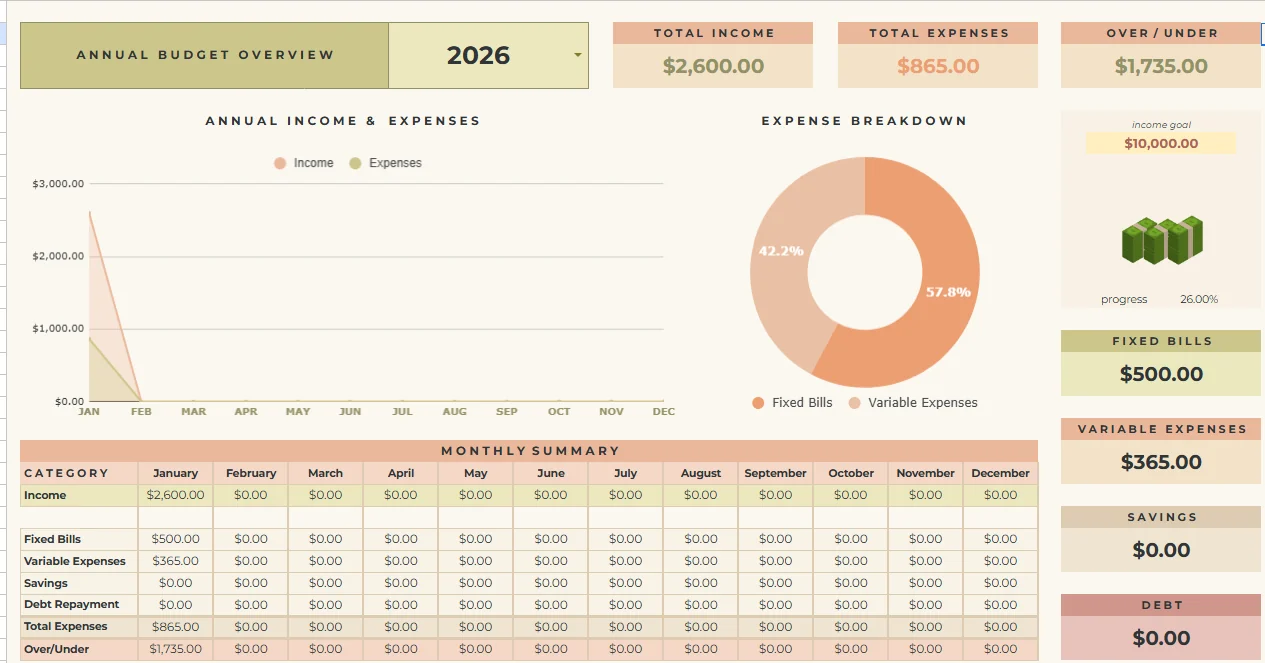
Budget vs actual, where your money went and where it came from. No formulas to touch.

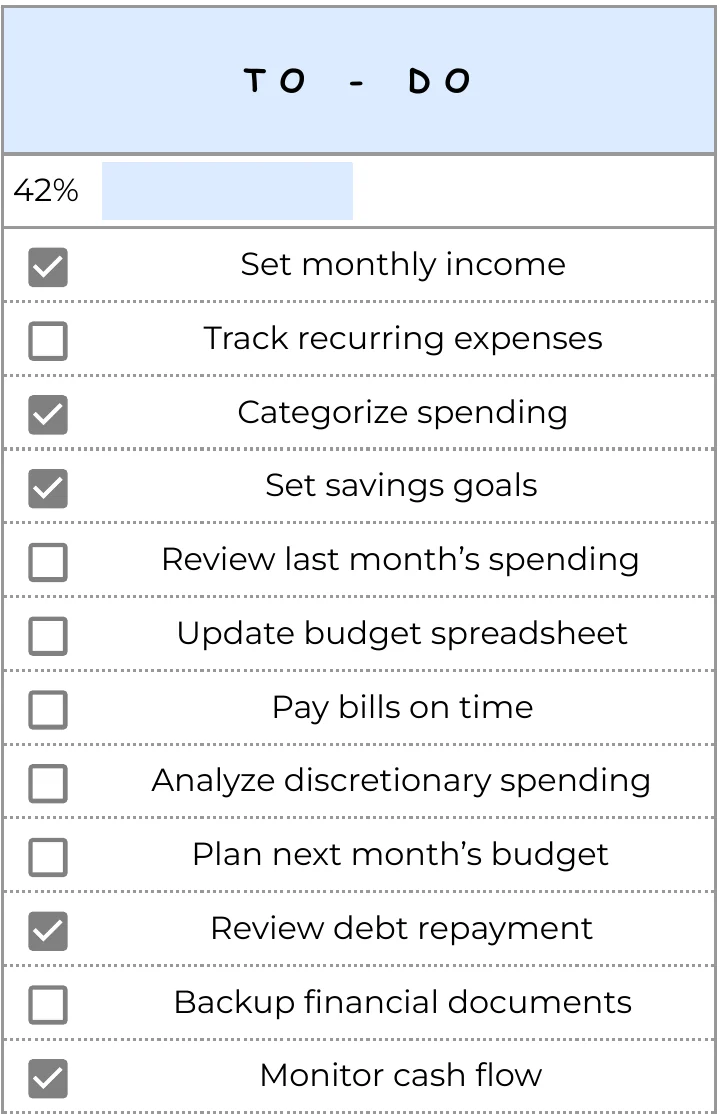
Mark your no-spend days on the calendar, watch "left to spend" shrink slowly, and tick off your monthly money tasks.


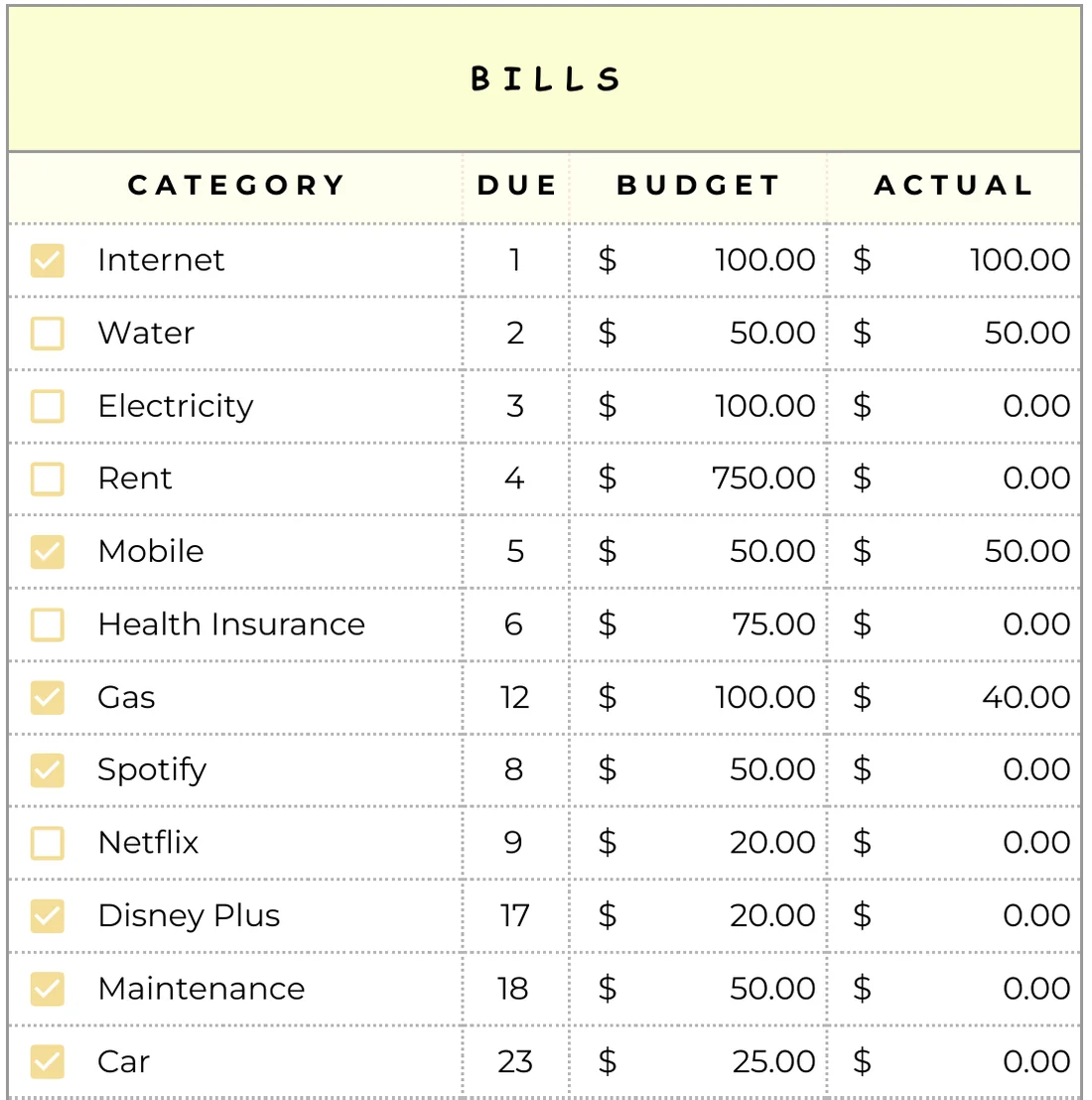
Due date, budget and actual for every bill, with a checkbox so nothing gets paid twice or forgotten.

Log a purchase in seconds and the breakdown shows which categories are eating your budget.

A monthly calendar with income, bills, subscriptions and debts color-coded, so you see the month coming.

Pick snowball (smallest balance first) or avalanche (highest rate first) and add an extra monthly payment: the sheet does the math. Every debt shows its debt-free date and how much is already gone.

Trip, new car, emergency fund: each goal has its own ring, monthly target and estimated finish date.
The Paycheck Budget Tracker plans each pay period: weekly, biweekly or monthly, however you get paid. A yearly overview adds it all up for you.
Payday routine: money comes in → bills and savings get their share first → you see exactly what's left to spend until the next paycheck.


Open your files page and click "Make a copy". A free Google account is all you need.
Type what comes in and what goes out. The categories are ready.
Log what you spend. Totals, charts and what's left update by themselves.
| Luna Money | Budgeting apps | |
|---|---|---|
| Price | Pay once | Monthly subscription |
| Bank login | Never | Usually required |
| Your data | Stays in your Google Drive | On their servers |
| Change categories | Anything you want | Limited |
Your paycheck lands. You open your budget, and in five minutes every dollar has a job: rent and bills first, a little to savings, a little extra to your debt.
Then you see one number: what's left to spend until next payday. No guessing on the 20th, no surprise late fees, no "where did it all go?"
Month by month, the debt bars get shorter and the savings rings fill up. You can finally see it working.
Plan each pay period so the bills are covered first and you know exactly what's left.
Credit cards, car, student loans: see every balance shrink and the month you'll be free.
One shared budget for the house, the kids and the goals you're saving for together.
Simple Budget
Bill Tracker
Debt Payoff Tracker
Savings Tracker
Bonus: Paycheck Budget TrackerIf your files don't work, email us and we'll fix it or refund you.
No. It runs in Google Sheets with a free Google account, on your computer, tablet or phone.
Right after checkout you see your files page, and we email you the links too. Each file has a "Make a copy" button that saves your own editable copy to your Google Drive.
No. You pay once and the spreadsheets are yours. Reuse them every year.
Yes. Each sheet has a "Read me" tab, and you only type in the marked cells. The formulas do the rest.
Yes. You choose your currency symbol in the setup, and the categories are yours to rename.
Yes. Share your copy in Google Sheets and you both edit the same budget, from any phone or laptop. No extra accounts or fees.
Never. You type your own numbers, and everything stays in your own Google Drive.
Email us at hello@lunamoney.shop. If your files don't open or a link doesn't work, we'll fix it or refund you. See our refund policy.